Get started with Parakey!
We explain how to use the 'ParaKey' app to access spaces for our vehicles.
If your property uses Parakey for unlocking spaces/garages, here is a brief guide on how it works:
Unlock with ParaKey
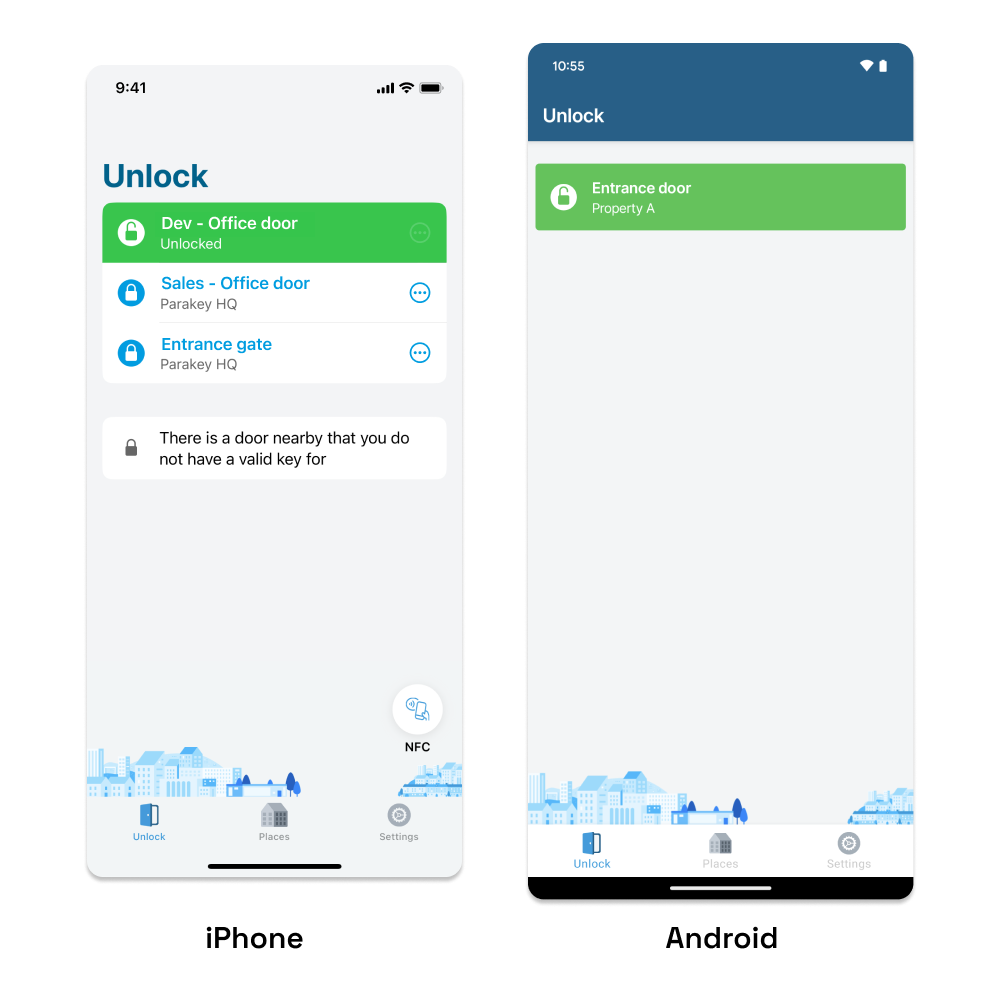
The app shows locks you are near. Tap the name to unlock it.
1. Tap the lock you want to unlock.
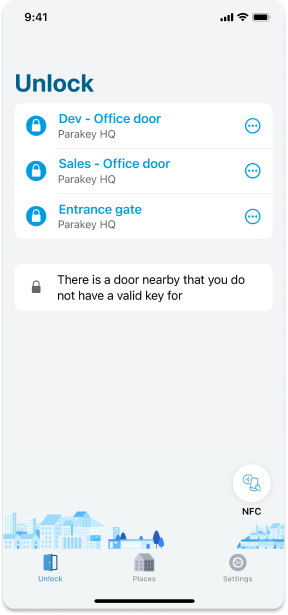
When the cell turns green, it is unlocked.
Can't Find the Lock in the App?
There are two common reasons why the app might not find the lock you want to unlock:
- You don’t have a mobile key for the lock - Contact OurGreenCars support via email.
- You are outside the Bluetooth range of the lock - Move closer to the door.
Unlocking Failed?
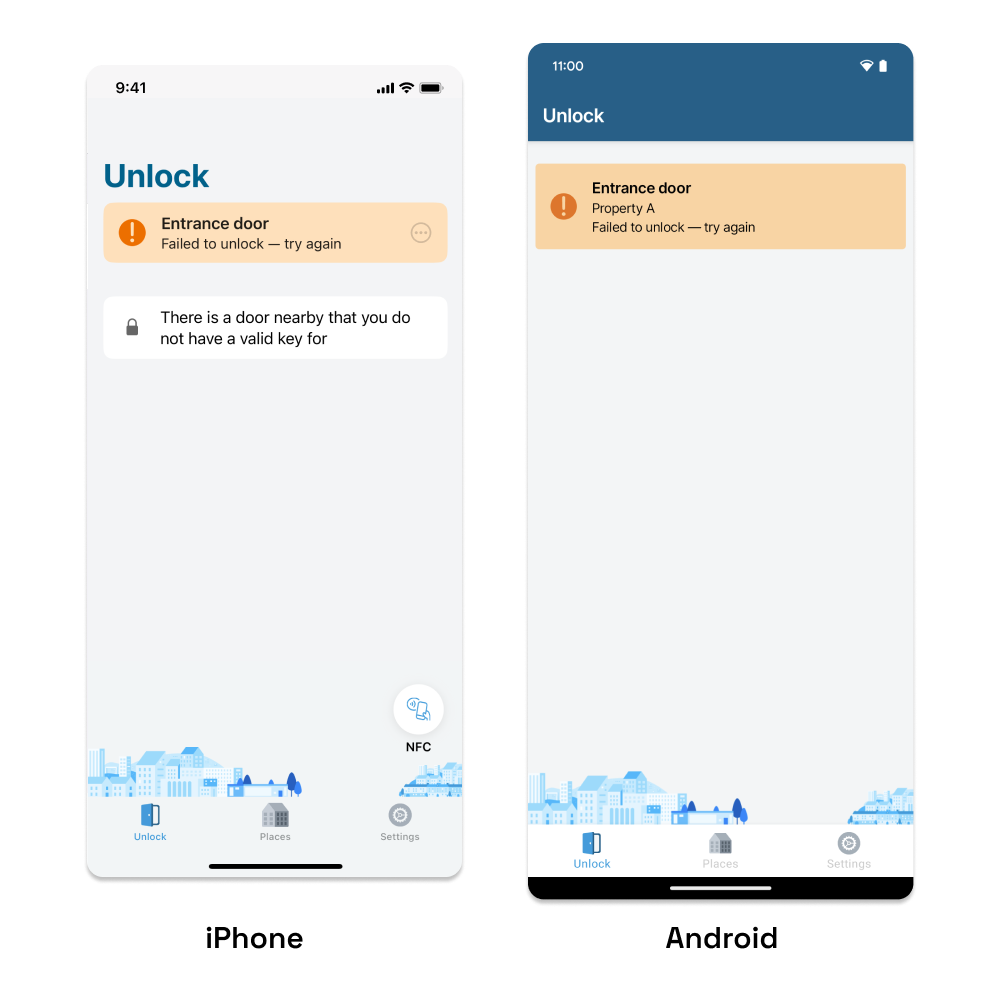
If unlocking fails, the status will turn yellow instead. Try moving closer to the door, gate, or similar, and tap the lock’s name again when it becomes available to try again.
Tap to Unlock
With the ParaKey NFC sticker, you can unlock by tapping your phone against the sticker instead of opening the ParaKey app.
Unlocking by tapping differs between iPhone and Android:
- Ensure your phone supports NFC.
- Keep your phone unlocked.
- Hold the top edge of your phone against the ParaKey sticker.
- Follow your phone's instructions.
If You Still Have Questions
For more help and information on how the ParaKey app works, visit the ParaKey Help Center.